

AI Chat Widget for Your Online Store: Raabt Website Chat
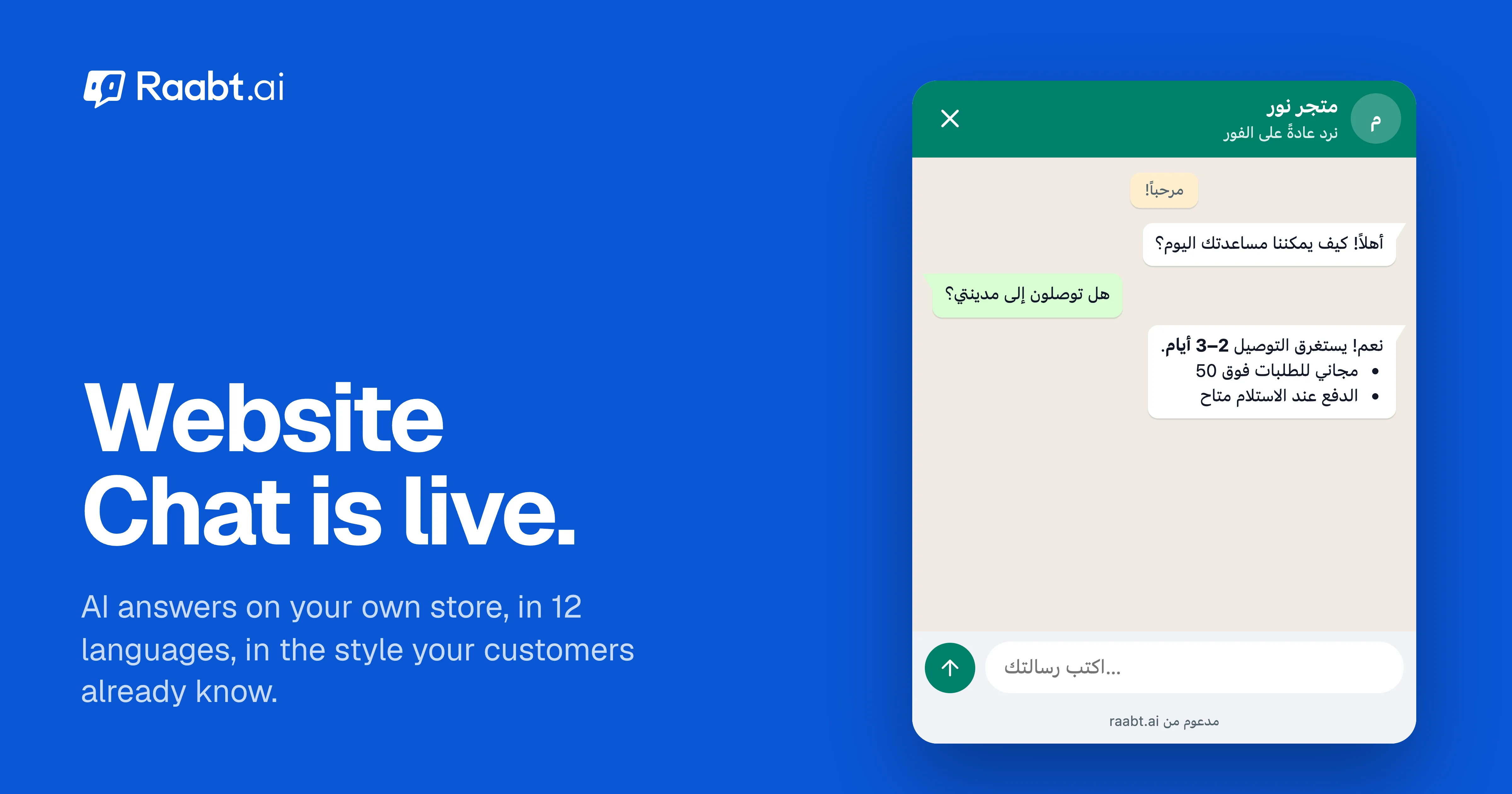
Add an AI chat to your website in minutes. It answers visitors in 12 languages, looks like WhatsApp or Telegram, and hands chats to your team.
Mohamed Rasul
Founder & CEO, Raabt AI
TL;DR
- Website Chat puts Raabt's AI agent on your own website: the same agent that already answers your WhatsApp, Instagram and Telegram messages.
- Visitors get instant answers in 12 languages, including Arabic and Kurdish with proper right-to-left layouts.
- Choose a WhatsApp style, Telegram style or Minimal design, then install it with one snippet. There are step-by-step guides for Salla, Zid, Shopify, WooCommerce, Wix, Squarespace, Webflow and Google Tag Manager.
- Every website conversation lands in the same inbox as your other channels, so your team can step in at any time.
- No Meta fees. A chat on your own website never goes through WhatsApp, so replies only count toward your Raabt plan's AI messages.
Why a website chat, and why now
Most stores in the region already answer customers on WhatsApp and Instagram. The website is where buyers compare products, check delivery times and hesitate at checkout, and it's usually the one place where nobody answers.
A contact form waits until someone on your team has time. A chat widget that only collects email addresses isn't much better. Website Chat answers the question while the visitor is still on the page, using everything you've already taught your AI agent: products, prices, delivery areas, return policy and opening hours.
What your visitors see
Three designs
| Design | What it looks like | A good fit for |
|---|---|---|
| WhatsApp style | WhatsApp's green header, the chat wallpaper, light-green sent bubbles and a chat button with a label | Stores whose customers already live on WhatsApp |
| Telegram style | A white header, Telegram's green gradient background, light-green sent bubbles and a floating message box | Audiences used to Telegram channels and bots |
| Minimal | A plain, compact chat in your own brand color | Brands that want the chat to blend into their site |
The WhatsApp and Telegram styles use the real apps' colors, so they feel familiar from the first second. Minimal uses your brand color for the header, the chat button and your visitors' messages.
Your details
- Light, dark, or match the visitor's device.
- The chat button sits on the left or the right, can be raised if it covers another button, and shows a chat, help or sparkle icon.
- Hide it on phones if you'd rather keep your mobile pages clean.
- Your own words: title, welcome message, subtitle, input placeholder and button label, separately for each language.
A live preview shows every change on desktop and on a phone before you save.
12 languages, right-to-left included
The chat speaks English, Arabic, Kurdish (Sorani), German, Spanish, French, Hindi, Portuguese, Russian, Turkish, Vietnamese and Chinese. It follows each visitor's language automatically, or you can set one language for everyone. Arabic and Kurdish get real right-to-left layouts, not a mirrored afterthought.
What the AI does
- Answers from your knowledge. It uses the same knowledge base and AI settings as your other channels. Update them once and every channel stays consistent.
- Knows the page. With page context on, the AI sees which page the visitor is reading, including the product name, price and availability on product pages. "Is this in stock?" gets a real answer.
- Collects contact details when you want them. An optional pre-chat form asks for a name, phone number or email before the chat starts. You decide whether it's required.
- Hands over to people. Website conversations appear in your Raabt inbox next to WhatsApp, Instagram and Telegram, and your team can reply from the same screen.
Installing it
- In Raabt, open Website Chat and choose your design, colors and texts.
- Add your website's domain. Only the domains you list can load your chat.
- Copy the snippet and paste it before
</body>, or follow the guide for your platform: Salla, Zid, Shopify, WooCommerce, Wix, Squarespace, Webflow or Google Tag Manager. On Salla, the Raabt app can add the snippet for you.
Raabt checks your site and tells you when the chat is live.
Privacy and abuse protection
- Your domains only. The chat refuses to load on any site you didn't add.
- Bot protection. Cloudflare Turnstile checks that a real person is chatting, without puzzles for normal visitors.
- Short memory for anonymous visitors. A visitor who never shares a phone number or email isn't added to your contacts, and their chat is cleared after 7 days without activity.
What it costs
Website Chat is a channel like any other in Raabt. AI replies count toward your plan's monthly AI messages, and there are no Meta fees: Meta charges per WhatsApp message, but a chat on your own website never goes through WhatsApp. See pricing for what each plan includes.
If you also message customers on WhatsApp, read how we handle bulk campaigns at Meta's own rates and WhatsApp verification codes.
FAQ
Do I need a developer? No. It's one snippet, and every major store builder has a place to paste it. The guides walk you through each one.
Will it slow my site down? The chat button is a small script. The chat window itself loads when a visitor opens it, or when they come back to a chat that's still going.
Can visitors reach a person? Yes. Every conversation is in your inbox, and your team can reply at any point.
Can I change the design later? Any time. Your site picks up the new design after you save.
Ready to try it? Create a free account and open Website Chat, or read more about Raabt on websites.
You might also like
More posts tagged like this one.